An AI spreadsheet generator that hands you the actual file
2026-08-09 · Tasman Goff · Last updated 2026-09-07
Most AI chats answer a spreadsheet question with a wall of text formatted to look like a table. Micro Learner AI is an AI spreadsheet generator in the literal sense: text in, spreadsheet out. Describe the sheet you want and a real .xlsx — formulas, tabs, formatting — lands in the chat as an attachment. Download it, open it in Excel, done.
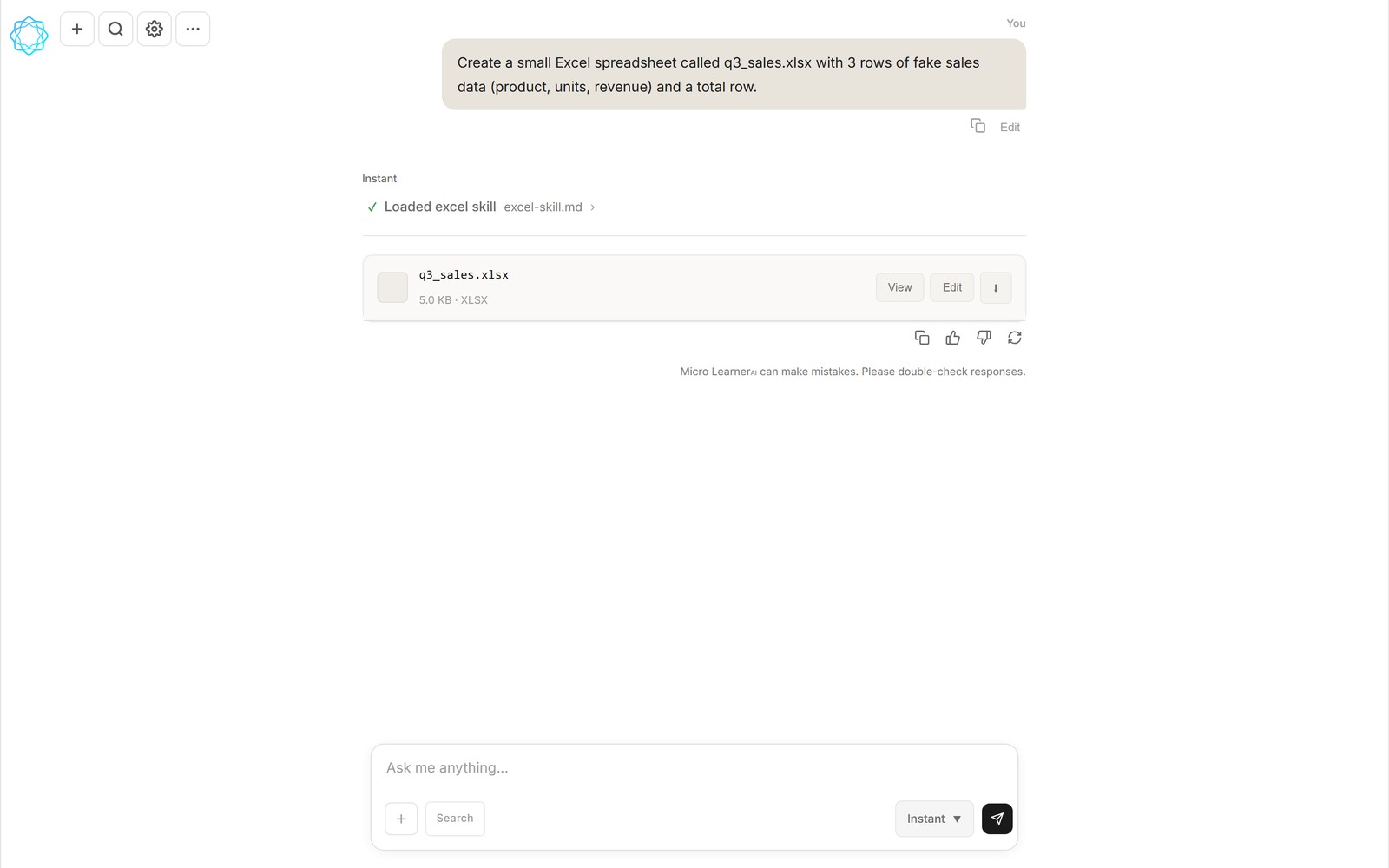
The gap matters more than it sounds. A text table can't be sorted, can't be filtered, and falls apart the moment you paste it somewhere. If you asked for numbers, you almost always wanted the file — you just settled for the text because that's what chatbots give you.
Micro Learner AI works differently: the chat writes and runs real code while you talk to it. When that code produces a spreadsheet, the spreadsheet shows up in the chat as an attachment with View, Edit, and Download actions. Not a description of a spreadsheet. The file.
What you actually get
Ask for a budget tracker and you get a workbook where the totals are live formulas, not hard-typed numbers. Change January's rent and the annual total moves. Ask for three tabs and you get three tabs. Ask for the header row frozen and bold, and it comes that way.
Because the output is a genuine .xlsx, it behaves like every spreadsheet you've ever used: opens in Excel, imports into Google Sheets, survives being emailed to a coworker who uses LibreOffice. There's no export step, no converter, no "copy this into your spreadsheet app."
Things people ask for
- "Turn this list of expenses into a spreadsheet with a monthly total row" — paste the numbers, get the file.
- "Build me a rental-property comparison sheet with cash flow formulas" — the math is built in, so you can plug in your own numbers later.
- "Clean up this CSV: fix the date formats and remove duplicate rows" — attach the file, get back a tidy .xlsx.
- "Add a summary tab that totals each category" — follow-ups work on the file you already made, so you iterate instead of starting over.
The follow-up part is the one people don't expect. The file isn't a one-shot artifact — say "actually, split that into quarters" and the next version of the sheet arrives with the change. It feels less like generating a document and more like sitting next to someone who's fast with Excel.
What it costs
The free tier covers normal use — sign up and start asking. If you live in spreadsheets all day, the Pro plan is $12 a month. And if you already have a DeepSeek API key, the Unlimited API plan lets you bring your own key and pay Micro Learner AI nothing at all.
FAQ
Is there an AI that makes spreadsheets?
Yes — that's exactly what Micro Learner AI does. Describe the spreadsheet in plain text (columns, formulas, tabs, formatting) and the chat writes and runs the code to build it, then attaches the finished .xlsx to the conversation. You can also attach a spreadsheet you already have and ask for changes.
Is it a real Excel file or just text that looks like a table?
A real file. Micro Learner AI writes and runs spreadsheet code mid-conversation and attaches an actual .xlsx to the chat. It opens in Excel, Google Sheets, and LibreOffice like anything else you've ever downloaded.
Can it build formulas and multiple tabs?
Yes. Ask for live formulas — SUM, lookups, running totals — and the sheet stays live after you download it: change an input cell and the totals move. Multi-tab workbooks, frozen header rows, and basic formatting all work the same way. Just say what you want in the request.
Can it fix or extend a spreadsheet I already have?
Yes. Attach your existing file to the chat and describe the change — clean up the dates, add a summary tab, total these columns, remove duplicates. You get back a new .xlsx with the work done, and you can keep iterating from there.
Is the AI spreadsheet generator free?
There's a free tier you can use right now, a $12/month Pro plan for heavier use, and an Unlimited API plan where you plug in your own DeepSeek key and pay Micro Learner AI nothing. Nothing to install — it runs in the browser.
Try it on a real task: open Micro Learner AI chat and ask for a spreadsheet you actually need. The file lands in the chat.
Also read: How files & artifacts work.