Skills, Not Prompts: How Micro Learner AI Makes AI Work Repeatable
2026-08-07 · Tasman Goff · Last updated 2026-08-07
Everyone who uses an AI assistant seriously ends up with a private stash of prompts. A paragraph pasted at the start of every chat. A notes file of phrasings that mostly work. A screenshot of a great one from a thread somewhere. Micro Learner AI is built around a different idea: don't save the prompt — write the skill.
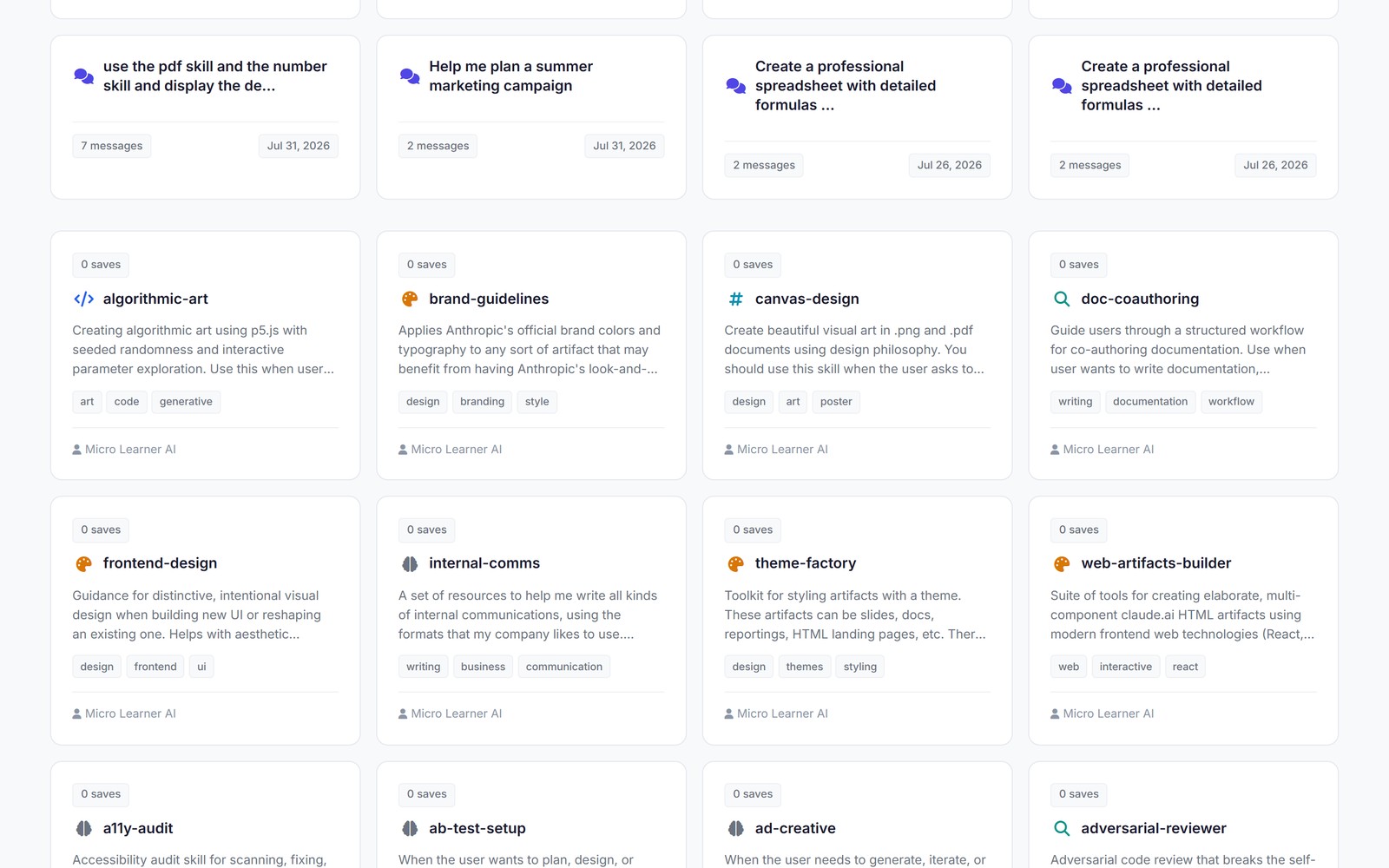
The community library in Micro Learner AI: 364 skills and shared conversations, each installable in one click.
A prompt is a wish
A prompt is ephemeral by construction. It dies with the chat it was typed into. It's unversioned — which wording produced the good output last Tuesday? — and it's barely shareable: paste it to a colleague and from that moment your two copies drift apart, each silently edited, neither authoritative.
The deeper problem is what a vague prompt does to the model. It forces fifty tiny decisions you never review: what tone, what format, which steps in which order, what to do when the input is ambiguous. Each decision is reasonable on its own. Together they produce an outcome you didn't actually choose, delivered with total confidence — and because none of those decisions were written down, you can't review them, can't fix the one that was wrong, and can't reproduce the good run when you get one.
That's a wish. You state a desire and hope the genie reads your mind.
A skill is a file
In Micro Learner AI, a skill is a versioned, shareable workflow file. It teaches the AI a repeatable workflow — the steps, the order, the output format, the edge cases — decided in advance, in text, where a human can read them. Install a skill and the AI doesn't get a prompt you have to remember to paste; it gains a capability.
Because it's a file, everything software already figured out applies. It's versionable: change it and there's a diff, and if the change makes things worse you roll back. It's forkable: copy someone's skill, adapt the part you care about, and anyone can see exactly how your version differs from theirs. And it's shareable in the real sense — one authoritative artifact, not a rumor of one circulating as screenshots.
Most importantly, when a skill produces a bad result, the fix isn't re-arguing with the model next session. You edit the file once, and it's fixed for every future run and every future user of that skill.
This is the same lesson software learned decades ago. Configuration as code, infrastructure as code, documentation as code — every time, moving knowledge out of someone's head and into a versioned file turned out to be the unlock. AI workflows are simply at the front of that same curve, and "a paragraph I paste sometimes" is where shell aliases were in 1995.
Install, fork, publish
The community library inside Micro Learner AI currently lists 364 skills and shared conversations. Browsing it works the way a package registry does: find a skill that does what you need, install it, and it's yours. If it's close but not quite right, fork it and edit your copy. If you build something genuinely useful, publish it — with your name on the version history, and with other people's installs and improvements compounding on top of your work.
This is the part prompt packs can't replicate. A prompt circulating as a screenshot has no provenance and no versions; you can't trust what you can't diff. A published skill carries its history with it, so "which version are you running?" is a question with an answer.
What it looks like mid-chat
Here's a concrete example from the product. Micro Learner AI ships with built-in skills, including a PNG/PDF skill and an Excel skill. In the session below, the PNG/PDF skill was loaded into the conversation and asked for a landscape image. The skill ran code — with the product's review-and-approve step, where you choose Run, Always allow, or Cancel before anything executes — and produced a real file, sunset_mountain_lake.png, attached to the chat and open in the image viewer.
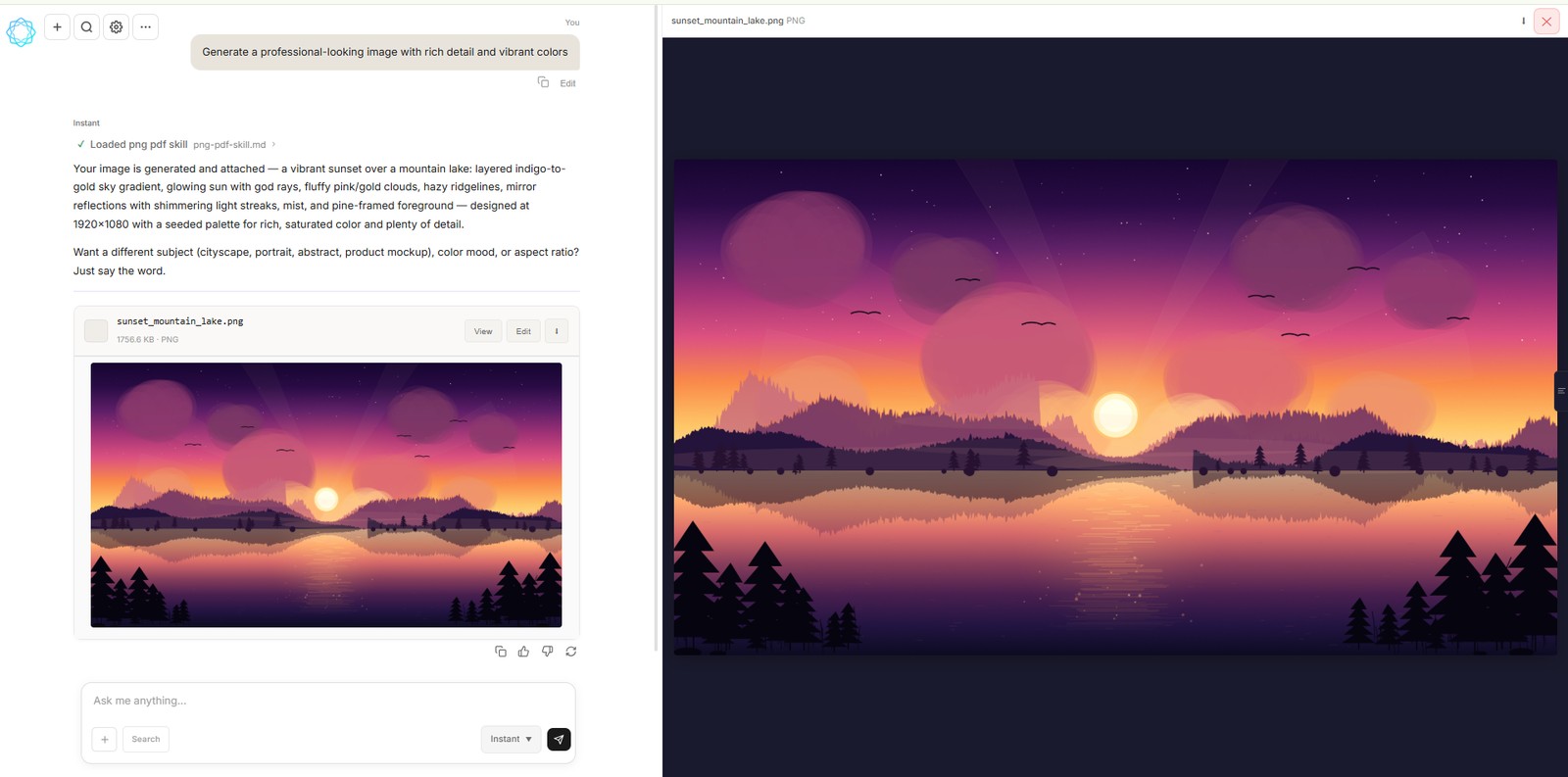
The PNG/PDF skill running mid-chat: the generated image lands in the conversation as a real file, ready to view or download.
Two things are worth noticing there. First, the workflow is repeatable: ask again tomorrow and the same skill follows the same steps, because the steps live in the file, not in your memory of a good prompt. Second, the skill ends in an artifact, not just text. Because Micro Learner AI writes and runs code in the conversation, a skill can define a workflow that finishes with a working thing — the image, the spreadsheet, the deck — produced the same way every time.
Why we built it this way
Micro Learner AI is a chat that builds: slide decks, spreadsheets, charts, PDF reports, images, small tools. That only stays useful at scale if the way it builds things is inspectable and improvable. Skills are how we make that true — both for the workflows we ship ourselves and for the ones the community publishes. Your AI setup is doing real work for you. Things that do real work deserve files, versions, and review.
Wishes are for birthday candles. Install the skill.
Micro Learner AI is in beta. Follow the launch at microlearnerai.com.
New to the app? Start with how skills work.