What Is MicroLearnerAI? The Chat That Builds Things
2026-08-07 · Tasman Goff · Last updated 2026-08-07
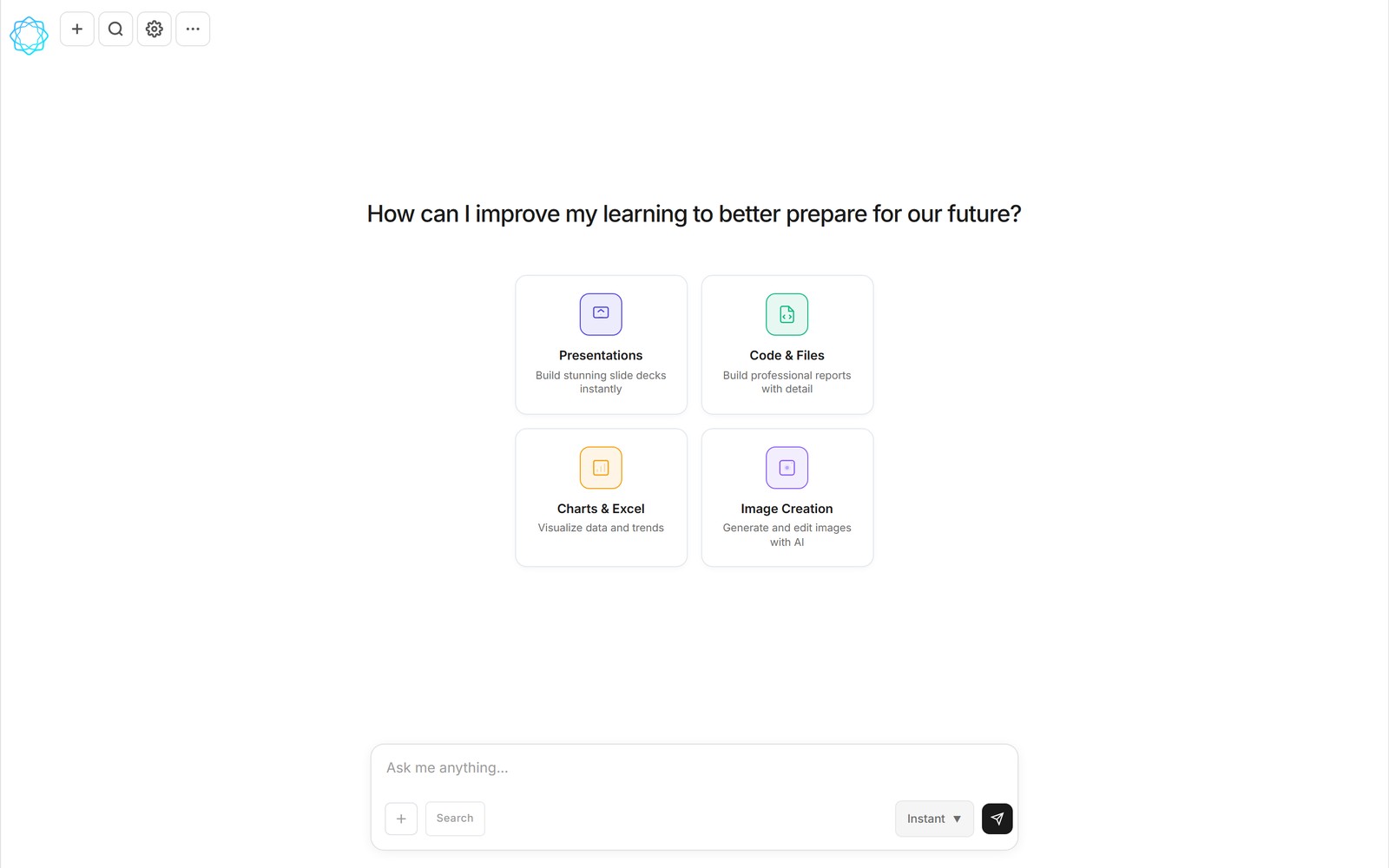
The MicroLearnerAI chat home, with its four capability cards.
MicroLearnerAI is a chat that writes and runs code mid-conversation. You describe a thing you need — a slide deck, a spreadsheet, a chart, a PDF report, an image, a small tool — and instead of getting advice about how to make it, you get the thing itself, right there in the chat, with buttons to view it, edit it, or download it.
That one sentence is the whole product, but it takes a little unpacking to see why it's different from both a chatbot and an app builder. This article is the plain-language version: what MicroLearnerAI is, who it's for, and how its two extension systems — skills and connectors — fit in.
From answer to artifact
A normal AI chat answers in prose. Ask it for a quarterly sales spreadsheet and it will explain how to build one, or print a table you then have to copy somewhere and fix. The useful thing — the actual file — is left as an exercise for the reader.
MicroLearnerAI closes that gap by running code inside the conversation. When you ask for the spreadsheet, the AI writes a small program, executes it, and attaches the result: a real .xlsx file, sitting in the chat as a completed file card with View, Edit, and download actions. The same loop produces real .pptx decks, .png images, and PDF reports. You never see a line of code unless you want to. What you see is the artifact, and you iterate on it in plain English — "sort this by region," "make the chart a bar chart" — until it's what you wanted.
Running code in a chat raises an obvious safety question, so the product answers it directly: before anything executes, you get a review-and-approve step with Run, Always allow, or Cancel. Nothing runs silently.
What you can ask for
The chat home is organized around four capability cards, which are a fair map of what the product does:
- Presentations — "Build stunning slide decks instantly."
- Code & Files — "Build professional reports with detail."
- Charts & Excel — "Visualize data and trends."
- Image Creation — "Generate and edit images with AI."
These overlap more than the cards suggest, because they're all the same mechanism — describe, run, receive — pointed at different output formats.
Who it's for
The short answer is: people who need working things more than they need code. A founder who wants a forecast spreadsheet, not a tutorial on openpyxl. A student who needs a chart for a lab report tonight. An operator who wants a small internal tool that nobody was ever going to build for them. Developers use it too, but the design assumption is that you shouldn't have to be one.
It also works on mobile — the chat interface is responsive — which matters more than it sounds. A lot of "I need a quick thing" moments happen away from a desk.
Skills: workflows you can reuse
If the chat is the engine, skills are the gears. A skill is a versioned, shareable file that teaches the AI a repeatable workflow — how to produce a properly formatted Excel workbook, say, or how to render and export a PNG or PDF. Once a skill is loaded, the AI follows that workflow every time instead of improvising from scratch.
Skills aren't locked to what we ship. You can install one, fork it, edit it, and publish your own, and there's a community library — 364 skills at the time of writing — plus shared conversations to learn from. The practical effect is that a workflow someone else figured out once becomes a thing you can use in one click.

A chat that generated sunset_mountain_lake.png via the built-in PNG/PDF skill, with the image viewer open.
Connectors: your tools, callable in chat
The second extension system is connectors, built on MCP. Connect Google once and Gmail, Drive, and Calendar become tools the chat can call; Slack, Notion, and AWS are there too, along with 9,000+ apps through Zapier. There are also free developer and data connectors — DeepWiki, Context7, Exa, Hugging Face, grep.app, GitHub, Alpha Vantage — and you can wire up a custom connector if yours isn't listed.
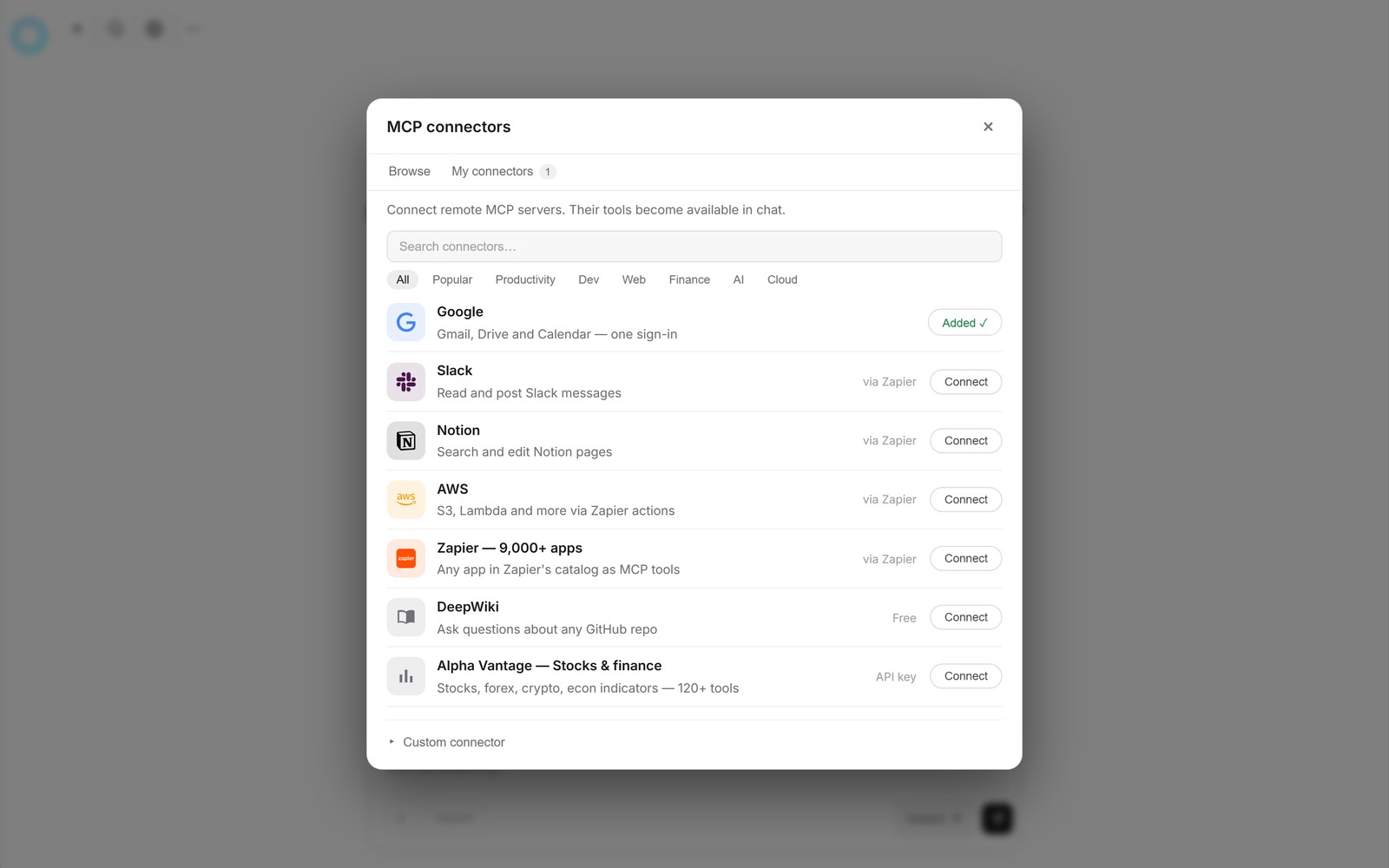
The connectors browser: Google connected, with Slack, Notion, AWS, Zapier, and more available.
Connectors matter because artifacts are more useful when they're made from your data. "Summarize this thread into a slide deck" is a different request when the chat can actually read the thread. And once connectors are in place, scheduled tasks become possible: ask in chat for something like "summarize the top AI news every weekday at 9am," and the task runs on schedule, with results arriving as a conversation marked ⏰ in your chat list — even after you've closed the tab.
What it costs, and where it stands
MicroLearnerAI is powered by DeepSeek — frontier-class intelligence at a low per-token cost — and that choice is what makes the pricing possible. There's a free tier whose usage resets every five hours, and a Pro plan at $12 a month with roughly 4.5 times the free usage plus pre-built skills. If you'd rather use your own model access, you can add your own API key in settings.
One thing to be straightforward about: the product is in beta. The homepage is a coming-soon page, and the app is live for early users. We'd rather say that plainly than pretend otherwise.
FAQ
Is MicroLearnerAI free?
There's a free tier whose usage resets every five hours, and a Pro plan at $12 a month with roughly 4.5 times the free usage plus pre-built skills. Because the product runs on DeepSeek — frontier-class intelligence at a low per-token cost — running code in chat can be priced this way.
Do I need to know how to code to use MicroLearnerAI?
No. You describe what you want in plain language, and the AI writes and runs the code itself, with a review-and-approve step before anything executes. You react to the finished artifact — a deck, spreadsheet, chart, image, or small tool — not to source code.
What can MicroLearnerAI connect to?
Google (Gmail, Drive, and Calendar with one sign-in), Slack, Notion, AWS, and over 9,000 apps via Zapier, plus free developer and data connectors like GitHub, Hugging Face, and Alpha Vantage. Custom connectors are supported, and anything you connect becomes a callable tool in the chat.
Can I use MicroLearnerAI right now?
MicroLearnerAI is in beta. The homepage is a coming-soon page while the app itself is live for early users, so the way to follow the launch is to watch microlearnerai.com.
MicroLearnerAI is in beta. Follow the launch at microlearnerai.com.
New to the app? Start with the quickstart guide.